
Office TV Installation in Toronto & the GTA
XproTech provides office TV installation across Toronto, the GTA, and surrounding communities. We help mount displays in meeting rooms, boardrooms, reception areas, and shared workspaces.
Plan the screen position, equipment connections, and cable arrangement around how your team uses the room.
Whether you are fitting out a new office or updating an existing display, send your equipment details and room photos to get started.
- Same-Day Service When Available
- 15+ Years of Experience
- Clean Installation
- Meeting Rooms & Boardrooms
- Mount Selection Help
- Cable Concealment Options
- Complete cleanup after every installation
- Toronto & GTA and Suroounding Areas
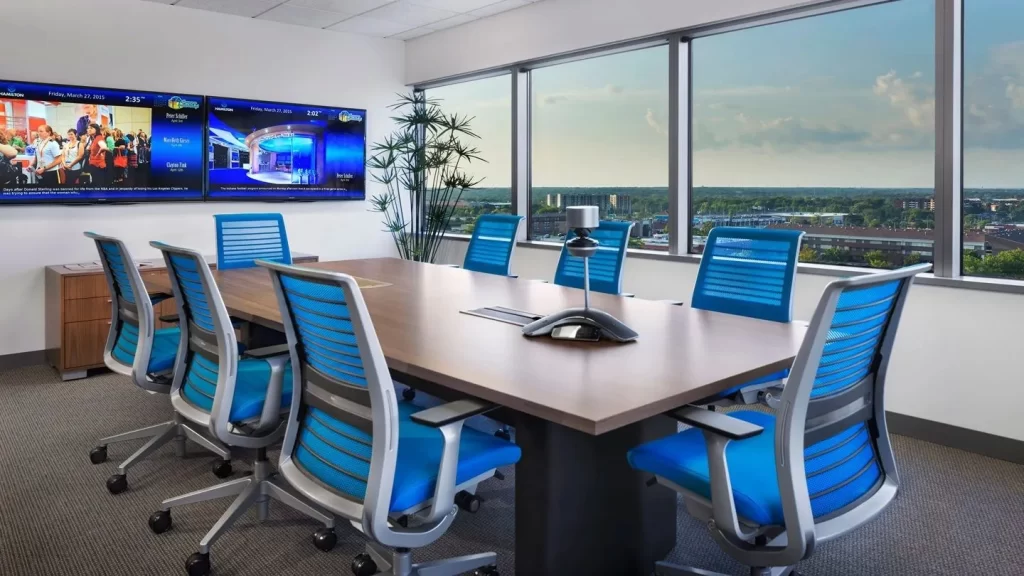
Start With How Your Team Uses the Screen
An office display may need to show presentations, spreadsheets, training videos, or a remote participant during a meeting.
Each use brings different questions. Can people at the far end of the table read the content? Where will a presenter connect a laptop? Will the screen be visible from the seats along the side?
XproTech helps you work through the room layout and agreed equipment setup before installation.
Tell us what your team needs to display and which devices they use most often.
TV Installation for Different Office Spaces
Meeting Rooms and Small Collaboration Spaces
A smaller room needs a display position that works around the table, seating, and available wall space.
We discuss where people sit and how they will connect their devices. The layout should leave practical access to cables and controls without placing equipment in the way.
Boardrooms and Conference Rooms
Larger rooms need careful attention to sightlines and the type of content being shared.
A screen that looks large from the front seat may still make detailed documents difficult to read from the back. Share the room dimensions, table layout, and proposed TV size so these can be considered together.
Reception and Waiting Areas
A reception display can show welcome messages, company information, or other approved content.
We plan the screen position around visitor seating, nearby lighting, and equipment access. Tell us what device or system will supply the content so the required connections can be discussed.
Training Rooms and Staff Areas
Training spaces may need a display for demonstrations and shared learning. Staff areas may use screens for announcements or internal updates.
Explain whether people will view the screen while seated, standing, or moving through the area. This helps guide the proposed mounting position.
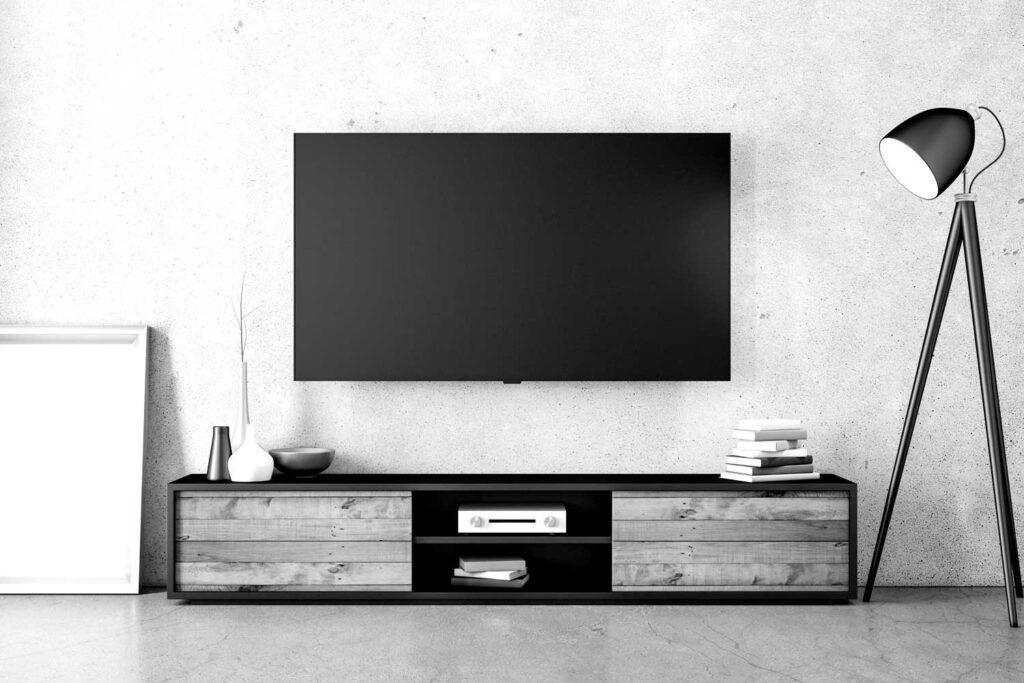
What Your Office TV Installation Can Include
Your quote identifies the agreed installation work. Depending on the room and equipment, this can include:
- Reviewing the room layout and screen position.
- Assessing wall and mounting requirements.
- Checking TV and bracket compatibility.
- Installing the mounting system.
- Mounting and levelling the display.
- Connecting agreed presentation or playback devices.
- Arranging accessible signal cables.
- Checking picture, sound, and selected inputs.
- Showing your team how to use the agreed setup.
Additional displays, cable concealment, conferencing equipment, electrical alterations, and network work should be discussed before the quote is confirmed.
Plan Screen Placement Around the Room
Viewing Height and Readability
Screen height should suit the people using the room and the content they need to see.
We consider the seating layout, table position, and any objects that could block the display. If detailed charts or documents are a priority, mention that before choosing the final screen location.
Windows and Lighting
Windows and overhead lighting can create reflections that affect visibility.
Share photos showing the room during normal working hours. These help us discuss placement around the lighting conditions your team will experience.
Wall Support and Mount Selection
The bracket must suit the display and supporting wall. A mount’s screen-size range alone does not confirm that it is appropriate for the installation.
We can assess a mount you already own. If you need one, XproTech can help select and bring a suitable mount and necessary materials by arrangement.
Mounts, accessories, and supplied materials are confirmed in your quote.
TV Mounting Across Toronto, the GTA & Beyond
A useful meeting room needs a clear way to connect the devices your team actually uses.
Tell us whether presenters bring their own laptops, use a shared room computer, or connect through an existing presentation system.
We discuss:
- The available display and device connections.
- Where the presenter will sit or stand.
- Required cables and compatible adapters.
- Access to inputs after the TV is mounted.
- How presentation audio will play.
Wireless screen sharing can be considered where the equipment and workplace network support it. Availability depends on the devices, software, and your organisation’s settings.
Have a representative work laptop available during installation so the agreed connection can be checked.
Displays Used for Video Meetings
If the screen will be used for video calls, share details of the camera, microphone, speakers, and room computer.
The physical layout should account for the camera position and the equipment people need to access. Compatible camera or soundbar mounting and connections can be discussed as part of the quote.
A mounted TV alone does not create a complete conferencing system. Room-system configuration, software licences, account access, and network permissions need to be clarified separately.
If your organisation has an IT team, involve them early so installation and technical responsibilities are clear.
For suitable audio equipment, explore our soundbar installation service.
Cable Management With Everyday Access
Office equipment needs to stay accessible for input changes, maintenance, and future upgrades.
We plan cable routes around the display, presentation point, and connected devices. Tell us about existing wall plates, furniture openings, or cable routes that you want to use.
Our wire concealment service can help assess suitable concealed routing or surface covers.
The available method depends on the building, cable requirements, and access. New power outlets and changes to fixed electrical wiring require separate arrangements.
Several Rooms or a Larger Display Project?
If you are installing TVs in multiple rooms, send a list of the displays and a photo of each proposed location.
Tell us whether you want similar connections and controls across the office. Planning these details together can make the finished rooms more familiar for your team.
For broader business display projects, see our commercial TV installation service.
Considering a projection setup for a training room? Explore projector and screen installation.
How to Arrange Your Office Installation
01
Share the Room and Equipment Details
Send your location, number of displays, TV models or sizes, and room photos.
Explain how each screen will be used and which devices need to connect.
02
Review the Installation Plan
We discuss placement, mounts, cable routes, and additional equipment.
Share building requirements and identify the person responsible for IT access or equipment decisions.
03
Confirm the Scope and Schedule
Your quote sets out the agreed work and materials.
Tell us about meeting schedules, contractor access, and permitted working hours. If you need an appointment outside normal office hours, ask about availability before booking.
04
Install and Check the Agreed Setup
The displays are mounted and the agreed devices connected.
We check the selected inputs and basic operation with your nominated contact, then explain how to use the installed setup.
What Does Office TV Installation Cost?
Pricing depends on the number of displays and the work required in each room.
Factors include:
- Display size and weight.
- Wall construction and mounting location.
- Bracket type and compatibility.
- Cable lengths and routing.
- Connected presentation or audio equipment.
- Existing equipment that needs reconnecting.
- Building access and installation scheduling.
- Additional materials.
Send room photos and equipment details so your quote reflects the complete project.
Serving Toronto, the GTA & Surrounding Communities
XproTech provides office TV installation in Toronto and nearby communities, including Mississauga, Brampton, Vaughan, Richmond Hill, Markham, Oakville, Burlington, and Milton.
Check our service areas for wider coverage, or share your postal code to confirm availability.
Browse the XproTech installation gallery for examples of completed work.
Office TV Installation Questions
Yes, subject to equipment suitability and the mounting requirements. Send the TV model, bracket details, and photos of the proposed wall. Let us know which devices need to connect so the installation can be planned around your existing equipment.
We can assess the connections needed for your laptops and display. Compatibility depends on their ports, adapters, and supported features. Have a typical work laptop available during the appointment so the agreed presentation connection can be checked.
The display may be used as part of a compatible video-meeting setup. The required computer or room system, camera, microphone, software, and network access must also be considered. Share your equipment and requirements so the installation scope can be confirmed.
You can request a quote for multiple rooms. Send the number of displays, equipment details, and photos of each location. Note whether you want the same connection arrangement in every room or different setups for different teams.
We can assess concealed cable routes or surface covers. The method depends on the wall, building access, and cable requirements. Include cable management in your enquiry so any additional work and materials are identified in the quote.
Ask about available appointments and share your preferred working window. Scheduling depends on the project, location, installer availability, and building access rules. Confirm the appointment before arranging access with management or security.
These are not automatically included. This service covers the agreed mounting and equipment connections. Content creation, software subscriptions, account management, and ongoing display updates need to be arranged separately unless specifically agreed.
Have the displays, mounts, remotes, cables, and source devices available. Clear the work area and confirm building access. Arrange for a nominated contact—and IT support where needed—to help check connections and authorised account access.
Ready to Set Up Your Office Displays?
Tell us how your team uses each room, what equipment you have, and where you want the screens installed.
XproTech will help you plan the mounting, connections, and agreed work.
Have a question first? Contact XproTech or explore all installation services.