
Home Theater Setup in Toronto & the GTA
XproTech provides home theater setup across Toronto, the GTA, and surrounding communities. We help connect and configure your entertainment equipment, plan speaker placement, and organise the setup around your room.
Whether you’re starting with new components or bringing an existing system back into use, tell us what you own and what you want to watch, play, or listen to.
- Connections & Setup
- 15+ Years of Experience
- Clean Installation
- New & Existing Systems
- Speaker Placement Planning
- Complete cleanup after every installation
- Toronto & GTA and Suroounding Areas
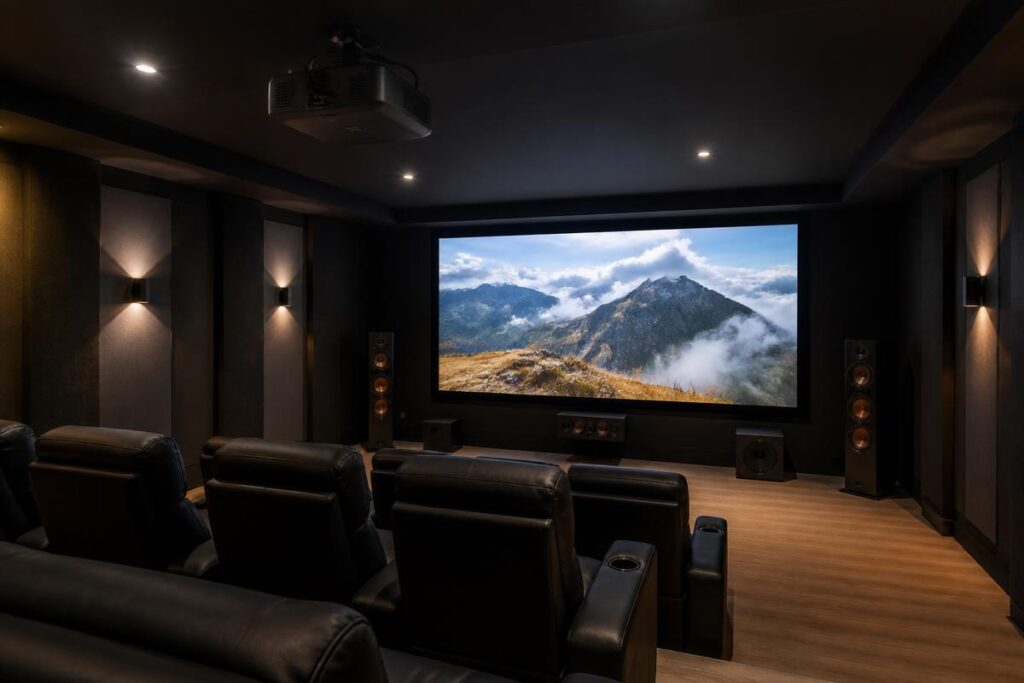
Get Your Entertainment System Working as a Whole
You may already have a good television, speakers, and receiver. Getting them to work together can still involve unfamiliar inputs, audio settings, and several remote controls.
A home theater setup brings those parts into a coordinated arrangement. It considers where you sit, how the equipment connects, and what happens when you switch from a film to a game or live television.
XproTech helps you work through the installation and settings so you understand how to use the finished system.
Choose a Setup That Suits Your Space
Living Room Entertainment Systems
A shared living room needs an entertainment setup that works around furniture, walkways, and everyday use.
We discuss practical speaker positions and equipment locations, including whether a compact system or a receiver-based arrangement better fits the space you have.
Basement Media Rooms
A basement can offer room for a larger display and several speakers. Ceiling height, bulkheads, seating, and cable access still influence the layout.
Share photos before finalising equipment positions, especially if the room is being renovated.
Dedicated Viewing Rooms
A room mainly used for films, sports, or gaming allows more flexibility in screen and speaker placement. We plan the installation around the equipment, seating, and agreed scope.
Construction, soundproofing, seating platforms, and decorative finishes are separate projects and should not be assumed part of equipment setup.
Existing Systems & Equipment Upgrades
You do not necessarily need to replace everything to improve how your system works.
Tell us what you want to keep and what you are adding. We can assess the proposed connections and identify compatibility questions before installation.
Surround Sound & Speaker Placement
Speaker layout should match your equipment and listening area. Adding more speakers is only useful when the system supports them and they can be positioned appropriately.
5.1 & 7.1 Surround Sound
A 5.1 system typically uses five main speakers and a subwoofer channel. A 7.1 layout adds two more main speakers.
The suitable arrangement depends on your receiver, available space, and seating. We discuss speaker locations rather than placing every speaker wherever a cable happens to reach.
Dolby Atmos-Capable Systems
Compatible Dolby Atmos systems can add a height dimension to the listening experience. A layout such as 5.1.2 includes five main speakers, a subwoofer channel, and two height channels.
Playback depends on the complete system, including compatible equipment, connections, settings, and content. An Atmos label on one component does not guarantee that every source will play in Atmos.
In-Wall & In-Ceiling Speakers
Built-in speakers may suit a room where you want less visible equipment. Installation depends on speaker suitability, wall or ceiling access, and the structure behind the finish.
Cutting openings, cable access, and any repairs need to be discussed before work begins.
Subwoofer Placement
The subwoofer position can affect how bass sounds across the seating area. We consider available positions, practical cable or power access, and the controls supported by your system.

What Can Be Included in Your Home Theater Setup?
The work is tailored to your equipment and agreed quote. It can include:
Reviewing the room layout and listening positions.
Planning and installing suitable speakers.
Connecting and configuring an AV receiver.
Setting up a compatible subwoofer.
Connecting a television or projector.
Connecting streaming devices, consoles, and media players.
Arranging speaker and signal cables.
Using supported speaker-level and room-setup features.
Checking playback and available audio formats.
Explaining inputs, volume controls, and everyday operation.
Display mounting, concealed cable routes, extra accessories, and specialist work should be identified in the quote rather than assumed included.
Receiver, Display & Source Connections
An AV receiver can connect several sources and direct audio to the speakers. Its settings need to reflect the equipment actually installed.
We review the connections and agreed setup for devices such as:
Streaming players and TV boxes.
Games consoles.
Blu-ray or other media players.
Televisions and projectors.
Compatible speakers and subwoofers.
Tell us which features matter to you, such as surround formats or particular gaming functions. The display, receiver, cables, and source devices all need to support the intended connection.
Where available, supported HDMI control or compatible remote features may simplify everyday use. One-remote operation depends on the equipment and is not automatic.

TV or Projector for Your Home Theater?
The display choice affects the rest of the room.
A television may suit your preferred screen size and everyday viewing conditions. A projector requires planning around image size, projection distance, room lighting, and screen placement.
If you need the display installed, include the relevant service in your enquiry:
TV wall mounting for a mounted television.
Projector and screen installation for a projection setup.
Already have a display in place? Send its model number so we can consider its connections alongside the rest of the system.
Cable Planning Without Losing Access
A home theater can involve several speaker, signal, network, and power connections. Planning their routes helps keep the equipment area organised.
We consider where devices will sit, how you will reach their ports, and whether you may add equipment later.
Explore our wire concealment service if you want concealed routing or surface cable covers included. The available method depends on the building and cable requirements.
New power outlets and changes to fixed electrical wiring need separate arrangements. They are not automatically included in home theater setup.
Soundbar System or Separate Speakers?
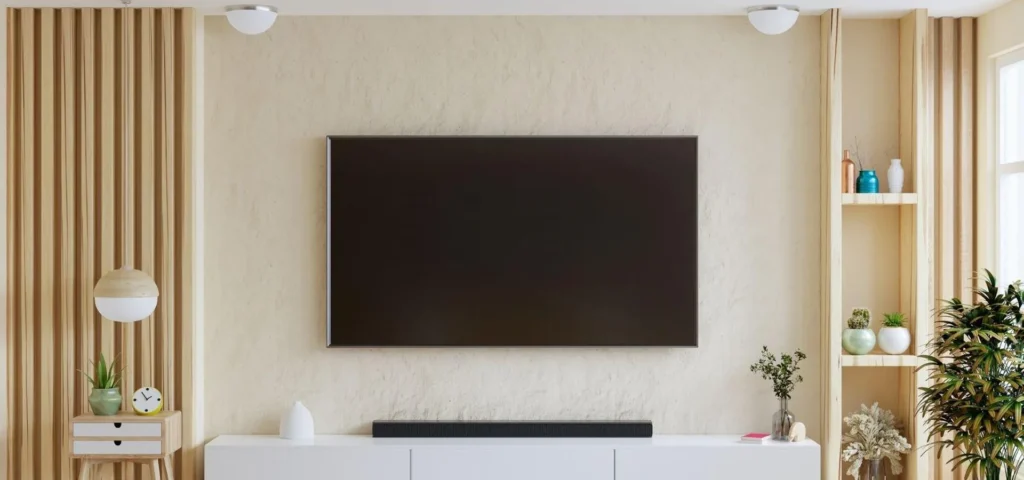
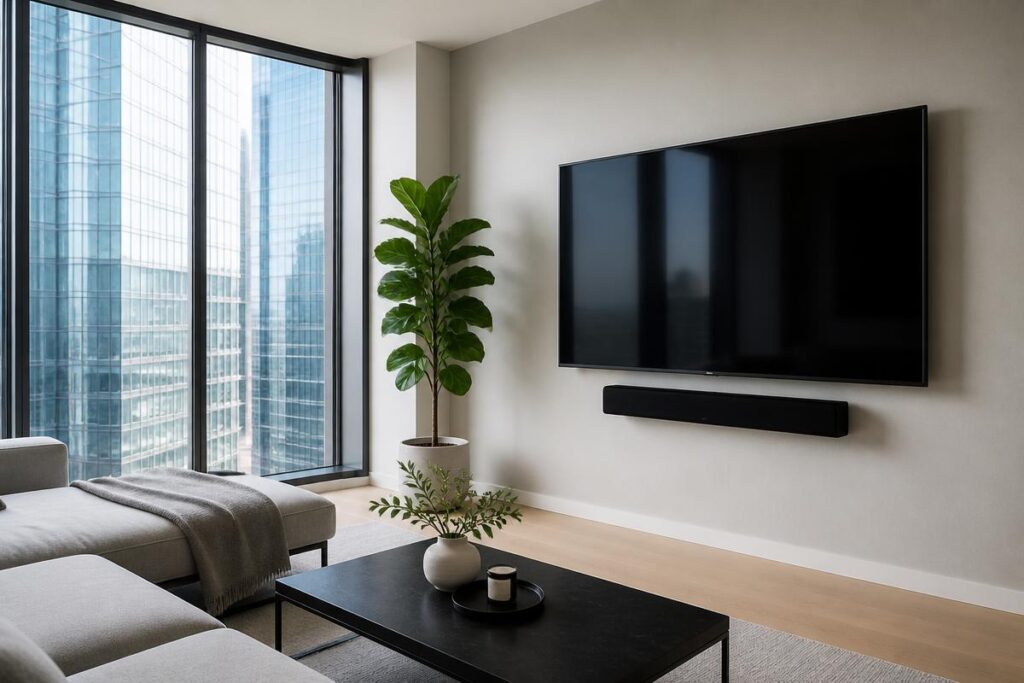
A soundbar-based system may suit a room where you want fewer components. A receiver and separate speakers offer different layout and expansion options, but require more planning.
Your choice should reflect the room, existing equipment, and the way you use it.
For a project centred on mounting and connecting a soundbar, see our soundbar installation service. Include compatible rear speakers or a subwoofer in your enquiry if you want them set up too.
How We Set Up Your System
01
Review Your Equipment & Goals
Send a list of the main components, model numbers, room photos, and your location. Explain what is already working and what you want changed.
02
Agree on the Layout & Work
We discuss speaker positions, connections, cable routes, and any additional installation services. Your quote sets out the agreed scope and materials.
03
Install & Configure the Equipment
The agreed components are installed or connected, and available settings are configured for the system. Any compatibility limitations identified during the work are discussed with you.
04
Check Playback & Everyday Controls
We check the agreed sources and show you how to select inputs and control the system.
Where included and supported, setup can use the equipment’s built-in room-correction features. This is different from a specialist acoustic assessment or instrument-based display calibration.
What Does Home Theater Setup Cost?
The quote depends on the size and complexity of the project. Factors include:
The number of speakers and connected devices.
Whether the equipment is already installed.
Speaker mounting and cable access.
Receiver configuration and supported setup features.
TV or projector installation requirements.
Cable concealment and additional materials.
The condition and suitability of existing wiring.
You can use equipment and suitable accessories you already own. XproTech can also help select and bring necessary mounts, brackets, cables, and installation materials by arrangement. Supplied items are confirmed in your quote.
Serving Toronto, the GTA & Surrounding Communities
XproTech provides home theater setup in Toronto and nearby communities, including Mississauga, Brampton, Vaughan, Richmond Hill, Markham, Oakville, Burlington, and Milton.
Check our service areas for wider coverage, or send your postal code to confirm availability.
Browse the XproTech installation gallery for examples of entertainment layouts and completed work.
Home Theater Setup Questions
Yes. Send the model numbers for your display, receiver, speakers, and source devices. We assess how the components can connect and what work is needed. Older equipment may have limitations when used with newer formats or devices.
No. A living room or basement can support a home entertainment system. The layout should suit your seating, available space, and everyday use. A dedicated room offers different options, but it is not a requirement for arranging a setup.
We can assess changes such as speaker repositioning, receiver configuration, new device connections, and cable organisation. Describe the issue and your equipment. Hardware faults or product repairs are separate from installation and setup.
Not automatically. The room must provide suitable positions for the additional speakers, and the receiver must support the layout. A well-planned smaller system can be more appropriate than adding speakers in unsuitable positions.
We can assess a proposed Atmos-capable setup based on your equipment, speaker arrangement, and room. Supported playback also depends on the source and content. Share your models before purchasing additional speakers or assuming the system can support a particular layout.
That depends on compatibility and the available control features. Some systems can share basic power and volume commands, while others need a compatible universal remote or separate controls. We discuss the practical options for your equipment.
No. Home theater setup covers the agreed equipment installation and configuration. Soundproofing, construction, electrical alterations, and decorating are separate work and need their own arrangements.
Have your equipment, remotes, cables, and any setup microphones supplied with the system available. Make the work area accessible and keep account access ready for devices that need signing in. You can enter your own passwords during setup.
Ready to Bring Your Home Theater Together?
Tell us what equipment you have, how you use the room, and what you want the system to do. Include photos and your location so we can discuss the work clearly.
Have a question before booking? Contact XproTech or explore all installation services.